Fallback: Working Without An Agent
Automation Agent is built around a connected agent — that is what enables live project inspection, validation before execution, and reliable script authoring. If you can run Guided Setup, do that. It is the better experience in every case.
But there are situations where no agent can be configured: no Codex or Claude access, a machine where nothing may be installed, or a first quick test before committing to any setup. For those cases there is a copy-and-paste fallback.
What To Expect
Be aware of the limitations before you rely on this path:
- The chatbot cannot see your Premiere project. It writes scripts blind, based only on your description.
- It cannot validate or test what it writes. You find problems only when you run the script.
- In practice this path is markedly less reliable and less capable than any connected agent workflow. Expect to iterate, and expect some tasks to be out of reach.
It is genuinely useful for a quick first test and for simple, well-described saved-script drafts. It is not a production workflow.
Using The Custom GPT
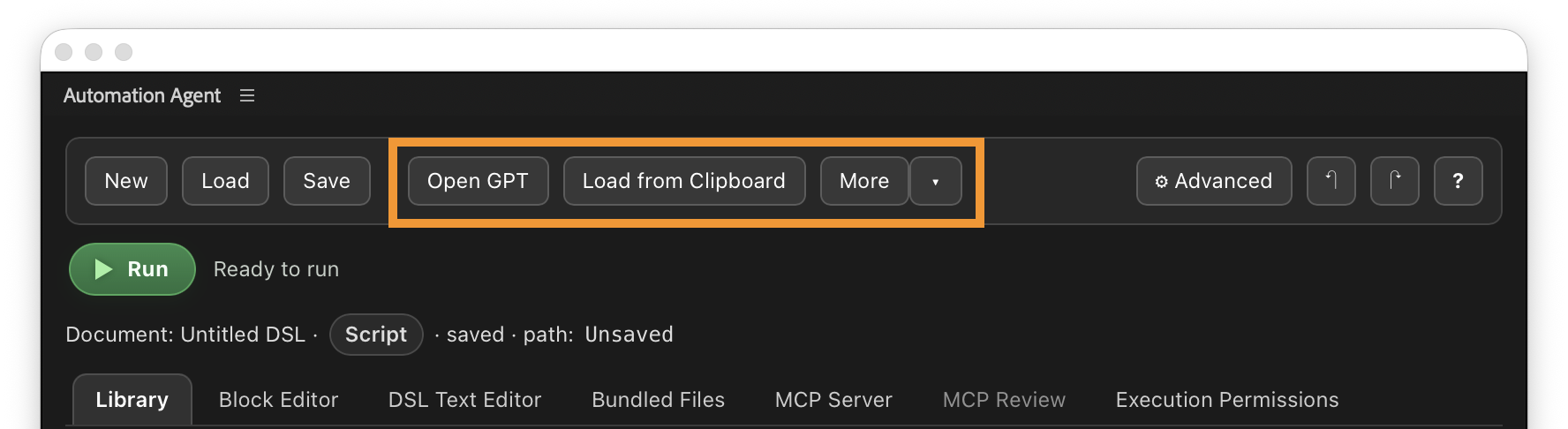
- Click
Open GPTin the Automation Agent panel toolbar. This opens the Automation Agent Custom GPT in ChatGPT. - Describe the Premiere task you want to automate. Be specific: what should be selected, created, renamed, exported.
- Copy the generated script and paste it into Automation Agent.
- Review the result in the block editor, test it with narrow permissions, and fix or re-prompt as needed.
- Save working scripts in your library for reuse.
Using Another Chatbot
If you cannot use ChatGPT or our Custom GPT at all — for example because you must use a local or privacy-restricted chatbot — open More in the panel and use Copy AI Prompt.
That copies a general authoring prompt to the clipboard. You can paste it into another chatbot together with your task. The prompt points the chatbot to the hosted Automation Agent documentation and AI reference assets.
Generic chatbots usually use those online references much less effectively than the Custom GPT, so expect weaker results again. Use this when your available AI environment is limited or when you need to prepare a script for later local execution.
When You Can Set Up An Agent After All
The moment you get access to Codex, Claude, or a local LM Studio setup, switch to the real thing:
- Set Up Your AI — Guided Setup connects your agent in a few minutes.
- Create And Save Your Own Scripts — the same authoring goal, with an agent that can actually inspect and validate.